Elixir from scratch, part 2: beyond the basics
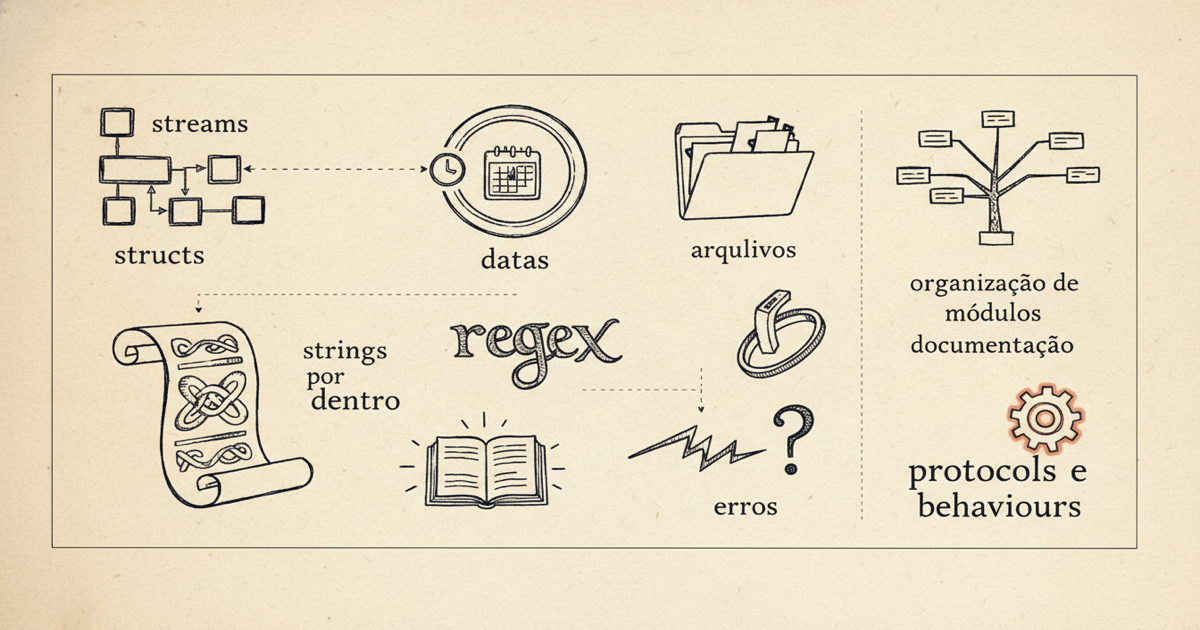
Second part of the series: structs, streams, strings from the inside, dates, regex, files, organizing modules, documentation, errors, protocols and behaviours. All of it reproducible.
In part 1 we installed Elixir and went through the fundamentals: types, immutability, pattern matching, the pipe, Enum, control flow and mix. With that you can already read and write everyday code. Now comes the layer that turns “I know the syntax” into “I can build real things”.
The same deal as before holds: I don’t need you to already know how to program. Every idea I explain from scratch, and when it helps I compare with another language for those who already know one. Everything here runs in iex or in an .exs file. Open the terminal and come with me.
Structs: a map with shape and a name
In part 1 you saw the map, which is Elixir’s dictionary: key and value pairs, like %{name: "Frank"}. The problem with a map is that it accepts any key. Nothing stops you from writing :namee by mistake. A struct fixes that. It’s a map with a name and a fixed set of fields, defined inside a module.
defmodule User do
  defstruct name: "", age: 0, admin: false
end

defstruct says which fields exist and what the default value of each one is. From there you create values of that type with %User{}:
iex> u = %User{name: "Frank", age: 30}
%User{name: "Frank", age: 30, admin: false}
iex> u.name
"Frank"
iex> %User{email: "x"}
** (KeyError) key :email not found in struct User
Notice the last line: trying a field that doesn’t exist breaks at compile time, not in production. If you want to force some fields to come filled in, use @enforce_keys:
defmodule Account do
  @enforce_keys [:owner]
  defstruct [:owner, balance: 0]
end
Updating a struct creates a new one, just like with a map (nothing is mutated):
iex> %{u | age: 31}
%User{name: "Frank", age: 31, admin: false}
If you come from Python, a struct is a lot like a @dataclass. From TypeScript, it’s like an interface with default values. The deeper difference is that a struct holds only data. The behavior goes into functions in modules, kept separate from the data.
Keyword lists: the way to pass options
You’ve already seen this without noticing, back in the mix.exs dependencies. A keyword list is a list of pairs where the key is an atom. It’s used to pass options to a function, in whatever order you like.
iex> String.split("a-b-c", "-", parts: 2)
["a", "b-c"]
That parts: 2 is a keyword list. When it’s the last argument, Elixir lets you drop the brackets, so parts: 2 is the same as [parts: 2]. To read values out of one, the Keyword module:
iex> opts = [color: "blue", size: 42]
iex> Keyword.get(opts, :color)
"blue"
iex> Keyword.get(opts, :weight, 0)
0
The rule of thumb: a map when you store data, a keyword list when you pass options.
Access: digging into nested structures
When data has data inside data, reaching what’s deep down by hand is annoying. Elixir has functions for that: get_in, put_in and update_in. You pass the path as a list of keys.
iex> person = %{name: "Ana", address: %{city: "Belém", state: "PA"}}
iex> get_in(person, [:address, :city])
"Belém"
iex> put_in(person, [:address, :city], "Ananindeua")
%{name: "Ana", address: %{city: "Ananindeua", state: "PA"}}
put_in returns a fresh copy with the value swapped, without touching the original.
Enum, Stream and the difference between doing it now and doing it later
In part 1 you used Enum to transform lists. Enum is eager: it walks through everything and returns the result right away. Most of the time that’s what you want. But what if the collection is huge, or infinite? That’s where Stream comes in, which is lazy: it assembles the recipe of what to do and only runs it when you ask for the result.
First, a range, which is a span of numbers written with two dots:
iex> 1..5
1..5
iex> Enum.to_list(1..5)
[1, 2, 3, 4, 5]
Now compare. With Enum, each step creates a whole list in memory:
iex> 1..1_000_000 |> Enum.map(&(&1 * 2)) |> Enum.take(3)
[2, 4, 6]
That Enum.map doubled a million numbers just so you could take three. With Stream, it only doubles the ones you actually use:
iex> 1..1_000_000 |> Stream.map(&(&1 * 2)) |> Enum.take(3)
[2, 4, 6]
Same result, far less work. Stream also knows how to handle an infinite sequence, because it only generates what’s needed:
iex> Stream.iterate(1, &(&1 * 2)) |> Enum.take(5)
[1, 2, 4, 8, 16]
The rule: start with Enum. Switch to Stream when the collection is huge or when you’re going to chain several steps before taking just a slice.
Strings from the inside: binaries, charlists and bitstrings
In part 1 I said a string in Elixir is a binary. It’s worth understanding what that means, because at some point you’ll bump into it. A binary is a sequence of bytes. A string is a binary with UTF-8 text inside.
That explains a classic gotcha. String.length counts letters, byte_size counts bytes, and in UTF-8 an accented letter takes up more than one byte:
iex> String.length("olá")
3
iex> byte_size("olá")
4
There’s also the charlist, which is a list of numbers, each one the code of a character. You write it with ~c. It shows up mainly when you talk to Erlang libraries, which expect that format:
iex> ~c"abc"
~c"abc"
iex> [?a, ?b, ?c]
~c"abc"
That ?a returns the number of the character a (97). Don’t confuse a charlist with a string: "abc" (double quotes) is a binary, ~c"abc" (with the tilde-c) is a list of numbers.
And a bitstring is a binary taken to the bone, where you work bit by bit. Rare early on, but good to know it exists:
iex> <<104, 105>>
"hi"
The numbers 104 and 105 are the codes for h and i, so that bitstring is the string "hi".
Dates and times
Elixir has its own types for dates and times, and syntax sugar (a short way of writing) with a tilde to create them: ~D for a date, ~T for a time, ~U for a date and time in UTC.
iex> ~D[2026-06-02]
~D[2026-06-02]
iex> Date.diff(~D[2026-06-02], ~D[2026-05-29])
4
iex> DateTime.utc_now()
~U[2026-06-02 23:10:11.482000Z]
Date.diff gave the difference in days between the two dates. To format and convert time zones more comfortably, the community leans a lot on the Timex library, but for the basics what ships with the language already gets it done.
Regex: finding patterns in text
A regex (regular expression) is a mini-language for describing patterns inside text, like “a sequence of digits” or “something with @ in the middle”. In Elixir you write a regex with ~r.
iex> Regex.match?(~r/\d+/, "i have 3 cats")
true
iex> Regex.run(~r/\d+/, "i have 3 cats")
["3"]
iex> String.replace("a1b2c3", ~r/\d/, "-")
"a-b-c-"
\d means “a digit” and + means “one or more”. So ~r/\d+/ matches “one or more digits”. match? answers yes or no, run returns what matched, and String.replace swaps everything that matches.
Files and IO
Reading and writing a file follows the same return pattern you saw in part 1: the tuple {:ok, value} or {:error, reason}.
iex> File.write("note.txt", "buy coffee\n")
:ok
iex> File.read("note.txt")
{:ok, "buy coffee\n"}
iex> File.read("does_not_exist.txt")
{:error, :enoent}
That :enoent is the system error code for “file not found”. For a big file, instead of loading everything into memory at once, you use File.stream!, which hands over line by line lazily (remember Stream):
iex> File.stream!("note.txt") |> Enum.count()
1
And to write to the screen, the old friend IO.puts, plus IO.inspect, which shows any value the way Elixir sees it (great for peeking at what’s happening in the middle of a pipe):
iex> [1, 2, 3] |> IO.inspect(label: "before") |> Enum.sum()
before: [1, 2, 3]
6
MapSet: a collection with no duplicates
A set is a collection where each value shows up at most once, and where asking “is this in here?” is fast. In Elixir it’s called MapSet.
iex> s = MapSet.new([1, 2, 2, 3])
MapSet.new([1, 2, 3])
iex> MapSet.member?(s, 2)
true
iex> MapSet.put(s, 9)
MapSet.new([1, 2, 3, 9])
Notice the repeated 2 disappeared on its own. If you come from Python, it’s the same role as set.
Organizing modules: alias, import and use
When a project grows, module names get long, like MyApp.Accounts.User. Three little words help tidy that up.
alias creates a short nickname:
alias MyApp.Accounts.User
# now you can write User instead of the full name
User.new()
import brings a module’s functions into yours, so you can call them without the prefix. Use it sparingly, so you don’t lose track of where a function came from:
import Enum, only: [map: 2]
map([1, 2, 3], &(&1 * 2))
use is the most powerful and the most magical. It calls code that the other module defined to “set you up”, often injecting functions and configuration into your module. You already used it in part 1 without noticing: use ExUnit.Case set up the whole test structure for you. For now, it’s enough to know that when you see use Something, that module is handing you a ready-made kit.
Module attributes as constants
A module attribute is an annotation that starts with @. The most common use is to hold a constant, a fixed value you don’t want to repeat:
defmodule Circle do
  @pi 3.14159

  def area(radius), do: @pi * radius * radius
end
iex> Circle.area(2)
12.56636
@pi is computed once, at compile time, and gets baked in wherever it’s used. Good for configuration values and magic numbers.
Documentation and typespecs
Here lives one of the reasons so many people like Elixir. Documentation is not a loose comment, it’s part of the language. @moduledoc documents the module, @doc documents the function, and the iex> examples you write turn into tests (you did this in part 1 with doctest).
On top of that there’s the typespec, which describes the types a function takes and returns. It doesn’t change how the code runs, but it serves as precise documentation and feeds Dialyzer, a tool that hunts for type inconsistencies without you running anything.
defmodule Calc do
  @doc "Adds two integers."
  @spec add(integer(), integer()) :: integer()
  def add(a, b), do: a + b

  @type point :: {number(), number()}
end
@spec add(integer(), integer()) :: integer() reads like this: add takes two integers and returns an integer. @type creates a nickname for a type, here a point which is a tuple of two numbers.
Errors: when to raise and when to return
You have two paths for dealing with things that go wrong, and the choice between them says a lot about Elixir’s style.
The first is to raise an error with raise, and catch it with try/rescue. It exists, but it’s reserved for the truly unexpected, the kind of thing that shouldn’t happen:
iex> try do
...>   raise "it broke"
...> rescue
...>   e -> "caught: #{e.message}"
...> end
"caught: it broke"
The second path, the everyday one, is to return {:ok, value} or {:error, reason} and let the caller decide. You match the result with pattern matching, and when you need to chain several steps that can fail, you use the with from part 1:
with {:ok, content} <- File.read("config.txt"),
     {:ok, number} <- parse_integer(content) do
  number * 2
else
  {:error, reason} -> "failed: #{inspect(reason)}"
end
The general idea: an expected error becomes a return value, an unexpected error becomes an exception. In part 3 you’ll see that Elixir takes this far, letting processes break on purpose and be restarted clean.
Protocols: the same function for different types
Sometimes you want a function that behaves differently depending on the type of the data, without filling everything with if. A protocol is a contract that says “any type can implement this function its own way”.
defprotocol Size do
  @doc "Tells the size of something."
  def measure(thing)
end

defimpl Size, for: List do
  def measure(list), do: length(list)
end

defimpl Size, for: BitString do
  def measure(text), do: String.length(text)
end
iex> Size.measure([1, 2, 3])
3
iex> Size.measure("cat")
3
defprotocol declares the measure function, and each defimpl teaches a type how to answer it. Enum, which you use all the time, works this way underneath: it talks to the Enumerable protocol, and that’s why it walks a list, a map, a range and even a Stream with the same functions. If you come from an object-oriented language, a protocol plays the role of an interface, except you can implement it even for types that aren’t yours.
Behaviours: a contract of required functions
A behaviour is a cousin of the protocol, but with a different feel. It says “every module that claims to be this needs to have these functions”. It’s how the language guarantees that a plugin has the shape the system expects.
defmodule Greeter do
  @callback hello(name :: String.t()) :: String.t()
end

defmodule FormalGreeter do
  @behaviour Greeter

  @impl Greeter
  def hello(name), do: "Dear #{name}"
end
@callback lists the required functions. @behaviour Greeter in the other module promises to fulfill the contract, and @impl marks the function that fulfills it. If you forget to implement one of the contract’s functions, the compiler warns you. That’s exactly how GenServer, which you’ll meet in part 3, asks you to implement certain functions.
Next steps
This part was the densest of the series on purpose, because it’s here that most of the language’s “vocabulary” lives. You don’t need to memorize it all. Come back when you need each piece: a struct to give shape to some data, Stream for a big collection, protocols and behaviours when you’re organizing real code.
In part 3 we reach the reason Elixir exists: concurrency. Processes, Task, Agent, GenServer and the idea of letting things break and pick themselves back up. It’s the most fun part.
As always, none of this is for taking on faith. Open iex, paste the examples and poke at them until they break.